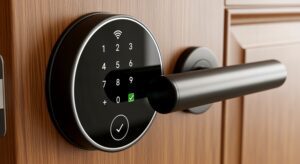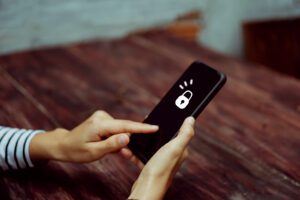

Smart locks add comfort and safety to any home. These devices make security easier and smoother for busy homeowners. But problems can appear at the worst times. A smart lock can freeze, glitch, or simply stop working. These moments can cause stress and delay your day.
At North Valley Locksmith, we see these problems often. Our team handles smart lock issues with skill and accuracy. We know these devices inside and out. We also understand how annoying lock failures can be. Our goal is to bring fast and easy solutions to Scottsdale homeowners.
Before you panic, you can try a few simple steps. Many issues have quick fixes. Some problems need a professional touch. Knowing when to call helps you save time and avoid costly repairs.
Common Smart Lock Problems Homeowners Face
Smart locks use advanced technology, but they still run into common issues. Here are the usual problems many homeowners report.
1. Low Battery and Power Issues
Smart locks depend on battery power at all times. Low power can cause slow responses and random failures. Check your battery level before assuming a major problem. Replace old batteries and test the lock again.
2. Wifi and Bluetooth Connectivity Errors
Some smart locks disconnect during storms or router resets. Weak signals may cause slow responses or complete failure. Ensure your router runs smoothly and your phone stays within range. Restart the lock’s connection to refresh the signal.
3. App Syncing Delays
Sometimes the app fails to sync with the device. This can cause delayed commands or inaccurate lock status. Refresh the app or sign out and sign in again. Check for new updates that may fix your issue.
4. Mechanical Jam or Misalignment
The lock may jam due to door misalignment or worn hinges. This prevents smooth locking or unlocking. Check if the door fits properly in its frame. Lubricate the latch to improve movement.
Simple Troubleshooting Steps You Can Try
These steps can help identify problems quickly. Try these before calling a locksmith.
Restart the Lock System
A restart clears minor glitches fast. Press the reset button following your model’s instructions. This refreshes the device’s memory. Test it again after the restart.
Update the Mobile App
Old apps may fail to support new lock features. Update your app for better performance, and often fix hidden bugs. Reconnect the lock after updating.
Check Your Home Network
A weak network can confuse smart devices. Restart your router for a stronger connection. Ensure the lock stays within the proper range, this prevents lost signals or failed commands.
When to Call a Scottsdale Locksmith?
Some problems need professional help. A trained locksmith handles complex issues faster and prevents damage caused by repeated failed attempts.
1. When the Lock Stops Responding Entirely
A frozen lock may indicate internal failure; this requires expert inspection. Forcing the lock may only worsen the damage. Call a locksmith for safe and proper repairs.
2. When Your App Cannot Connect at All
If your app never connects, deeper issues may exist. A locksmith can diagnose hardware or firmware problems, this prevents long-term damage. Professionals can reset the system without harming the device.
3. When You Notice Wiring or Component Damage
Damaged wires can stop power flow. This issue needs professional tools and skill; do not try to repair exposed hardware. A locksmith can replace damaged parts correctly.
4. When You Are Locked Out Completely
A total lockout needs fast help, smart lock failures during emergencies are stressful. A locksmith provides safe entry without damage, this restores access and prevents added stress.
Why a Professional Helps More Than DIY Fixes
Smart locks require trained hands. Professionals understand both digital and mechanical parts. They handle issues faster and protect your lock from accidental damage.
At North Valley Locksmith, we work with all smart lock brands. We know the right tools and best methods. Our team offers honest advice and fast service. Scottsdale homeowners trust us because we deliver quality solutions every time.
Protecting Your Smart Lock for the Long Term
You can keep your smart lock working smoothly. Follow simple maintenance steps. These steps help prevent major problems.
Replace Batteries Often
Fresh batteries help your lock run well. Replace them before they die. Use high-quality brands for better life. Set reminders to change them regularly.
Keep the App Updated
Updates improve performance and security. Turn on automatic updates for reliability. Updated apps reduce software issues. This keeps your lock working smoothly.
Inspect the Door and Frame
A misaligned door can strain the lock. Check hinges and screws often. Tighten loose parts to prevent jams. A well-aligned door helps the lock last longer.
Final Thoughts
Smart locks are convenient and safe. But they also need care and quick troubleshooting. You can handle simple issues with ease. But never hesitate to call a Scottsdale locksmith when things get serious.
At North Valley Locksmith, we bring fast and friendly service. Our team restores your smart lock with skill and care. If your lock causes stress, let us handle the issue for you.
Ready for stress-free smart lock help?
Call North Valley Locksmith today for fast Scottsdale service. We fix issues quickly and safely. Your home deserves reliable security. Let us bring the peace of mind you need.
Frequently Asked Questions
1. What are the most common issues with smart locks?
Many smart locks fail due to battery problems. Connectivity issues also create frequent trouble. Mechanical jams can cause the device to freeze. App glitches may confuse the system.
2. Why does my smart lock lose connection?
A weak WiFi signal causes many disconnects. Router issues may interrupt the lock’s signal. Bluetooth failures can stop commands. Software bugs also create connection delays.
3. How do I know if my smart lock battery is low?
Most smart locks show low-battery alerts on the app. Some locks beep or flash lights. Slow response times may also signal low power. Replace the batteries when these signs appear.
4. Why is my smart lock not responding to the app?
The app may be outdated. It could also be a connectivity issue. Restarting the lock sometimes helps. Checking the network connection also solves many problems.
5. Can weather affect my smart lock performance?
Extreme heat affects internal components. Cold temperatures may slow battery output. Humidity may impact electronic parts. Weather changes can cause temporary lock issues.
6. What should I do if my smart lock jams?
Check the door alignment first. Tighten loose hinges if needed. Lubricate the latch gently. Avoid forcing the lock open.
7. Is it safe to reset my smart lock?
Resetting is safe when following the manual. It clears minor software problems. It also refreshes the internal system. Always reprogram settings after a reset.
8. How often should I update my smart lock app?
Update as soon as new versions appear. Updates improve security. They also fix hidden bugs. Regular updates ensure stable performance.
9. Why does my smart lock drain batteries fast?
Weak WiFi forces the lock to work harder. Old batteries drain quickly. Cold weather may reduce battery life. Misalignment also strains the motor.
10. When should I call a Scottsdale locksmith for my smart lock?
Call if you’re locked out, the lock stops working, you see hardware damage, or if repairs are no longer effective.